Getting Started with K-Vault
To start using K-Vault, you need to join the K-Vault network. Follow these steps:
- Login to the Kapsul Dashboard.
- Navigate to the bottom left of the dashboard and locate the “Invitations” section.
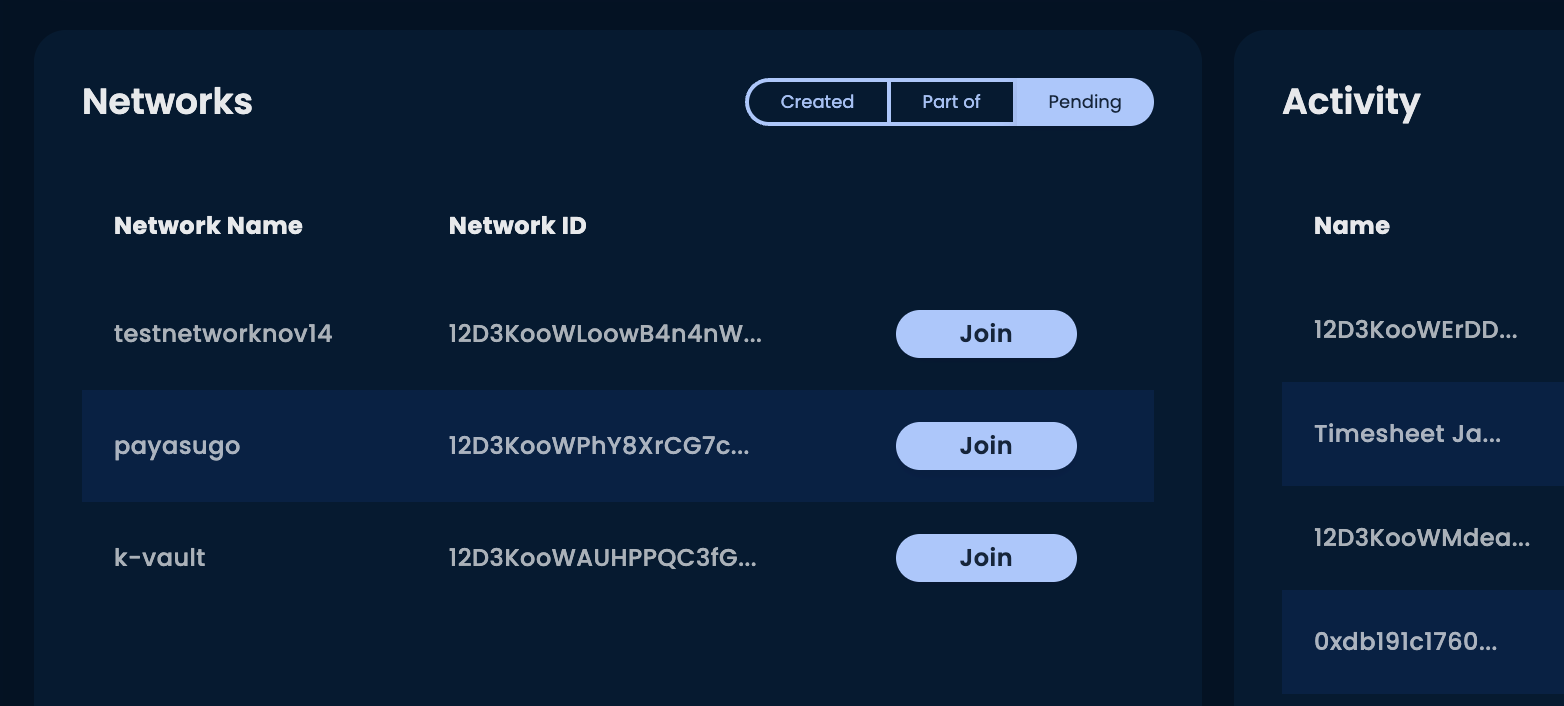
- Find and click on K-Vault to accept the invitation and join the network.
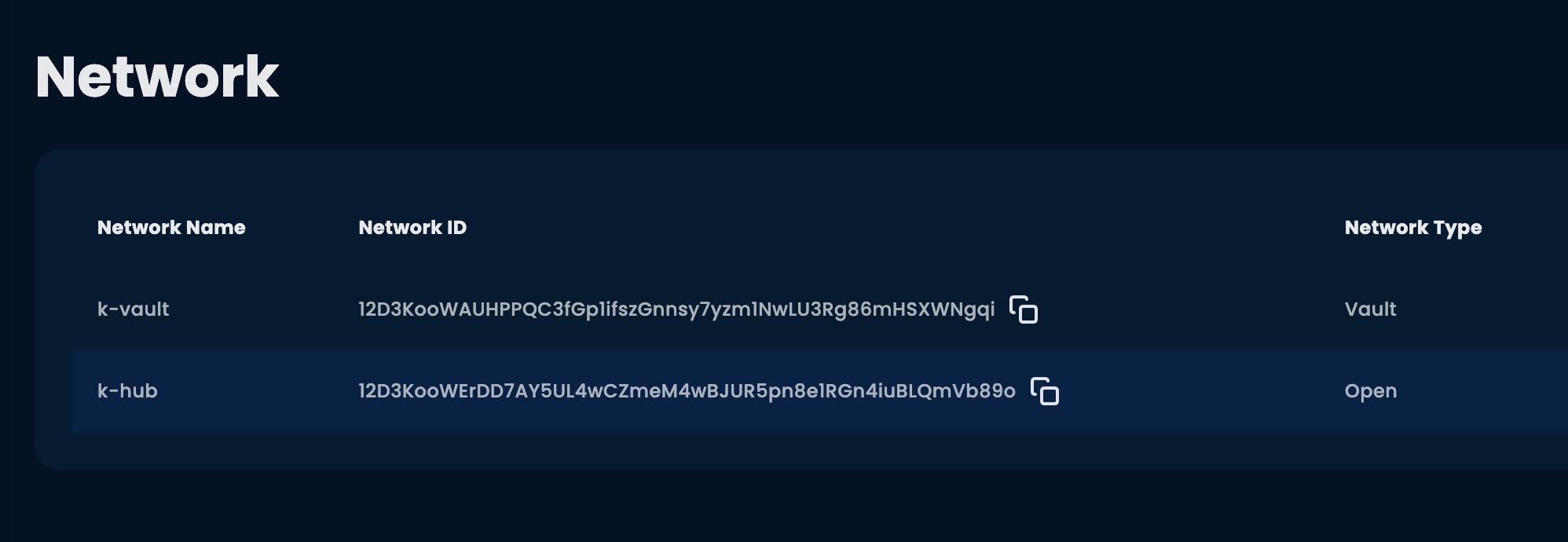
- Once joined, go to the “Network” tab and copy the Network ID corresponding to K-Vault, as shown in the image below:
Now you’re ready to integrate K-Vault into your applications! 🚀